

 (EN)
(EN) 


 Canada - EN
Home >
Save time with easy access to your insurance information
Sign up for an online RBC Insurance account today to manage your policy right from your computer or mobile device—simply and securely.
Keeping your information secure
When it comes to your confidential information, security is our top priority. Your account is safeguarded with two-factor authentication—just one of our many security features—so you can rest easy knowing your information is protected.
Get started today
Signing up for Online Insurance is simple, it only takes about 3 minutes.
-
Create your RBC Insurance online account here
-
Verify your identity using your policy number, name, date of birth and postal code
-
Set up a secure login
Your account will become active immediately after you’re finished. You’ll now have access to your insurance information on your computer or mobile device, any time you want, as long as you’re online.
For assistance enrolling or signing in, call 1-888-769-2545.

Help with sign in
Trouble signing in? Don’t worry, let’s take a look:
If you are enrolled, you would have received your Group Benefit ID Card from us. If you have not yet received it, that’s why you can’t sign in. Please see the Plan Administrator in your organization for details.
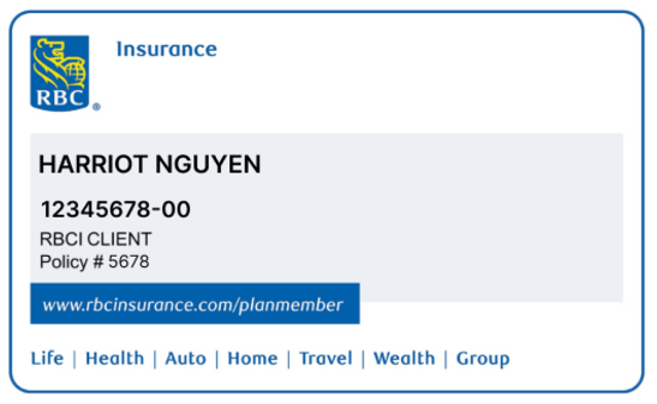
Group Benefit ID Card
Double check and try again by re-entering your username and password. A username is a unique ID that you create to access your Online Group Benefit Solutions and would have 6 to 30 characters.
To Recover Your Username:
Don’t worry, we’ve all done this! To recover your username, select Recover your Username from the Online Group Benefit Solution Plan Member Sign-In page or the Need Help Signing In? link on the RBC Insurance My Benefits app.
You’ll need:
- a valid email address on file with us
- your Group Policy Number
- your Plan Member ID
To Reset Your Password:
If you’ve forgotten your password, just select Reset your Password from the Online Group Benefit Solution Plan Member Sign-In page or the Need Help Signing In? link on the RBC Insurance My Benefits app.
You’ll need your Group Policy Number, and Plan Member ID, along with answering your Personal Verification Questions. The system will then ask you to create a new password.
Make sure your browser supports Online Group Benefit Solutions. If you bookmarked the sign in page, it may be out of date if we changed the site’s URL. Also, contact your internet provider to check your internet connection is working or the site isn’t blocked.